
| Summary: Barcode systems continue to be perhaps the most affordable form of inventory management available for retail space, warehouses, manufacturing, and healthcare. The technology is not complex, but executing correctly requires more than just printing labels. The difference between working and problem-causing systems comes down to good data structure, high-quality labels, software integration, and workflow alignment. |
Barcode systems are still one of the most dependable tools for inventory management. RFID and IoT are growing fast, sure, but barcodes remain the operational backbone across retail, warehouses, manufacturing, and healthcare.
They offer a budget-friendly, standardized way to identify, trace, and manage inventory across an entire operation. From the time shipments arrive to daily stock movement, they cut down manual steps and the small slowdowns that quietly pile up.
For many businesses, the barcode isn’t the problem. The systems around it are. Weak label stock, inconsistent formats, unreliable scanning, disconnected software, these are what hurt inventory visibility.
As demands grow, businesses need faster updates, more precise counts, scalable traceability, and real-time visibility.
At Lowry Solutions, barcodes for inventory creation go beyond printing labels. It’s about well-structured data, dependable hardware, smooth software integration, and workflows built to last. Barcodes work best when treated as a connected inventory component, not just a label.
What Are Barcodes and How Do They Work?
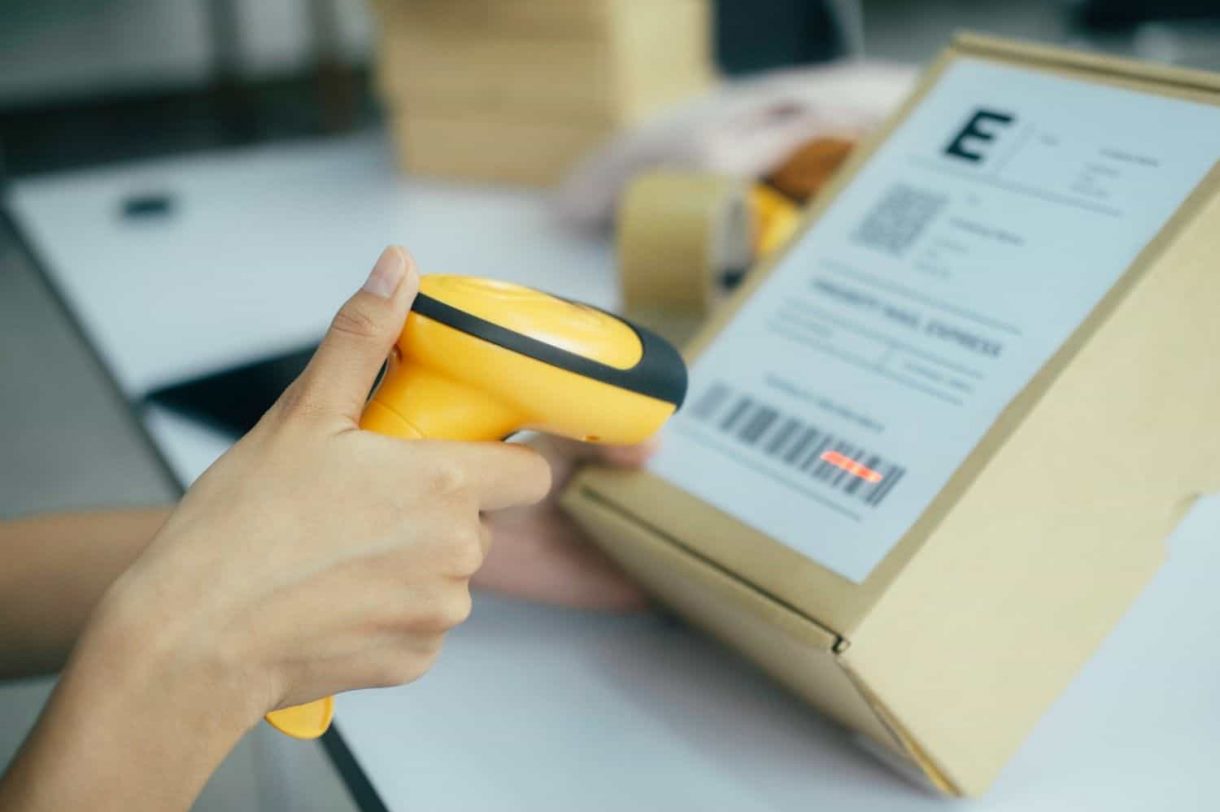
A barcode is a machine-readable representation of data used to identify products, assets, or inventory items. Barcodes store information visually in patterns that scanners can quickly read and decode.
Once scanned, the barcode connects the physical item to information stored within an inventory or enterprise system.
Barcode technology is widely used because it enables fast and accurate data capture with minimal manual input.
There are two primary categories of barcodes used in inventory management.
1D Barcodes
1D barcodes use horizontal lines and spaces to store information. These are the traditional barcode formats commonly seen on retail products.
Examples include UPC, Code 128, and EAN.
They are commonly used for basic product identification and inventory tracking.
2D Barcodes
2D barcodes store data both horizontally and vertically, allowing them to hold significantly more information.
Examples include QR codes and DataMatrix codes
These barcodes can store:
- Product information
- Batch numbers
- Serial numbers
- Expiration dates
- Tracking data
The barcode process itself is straightforward.
First, the barcode is printed on a label or product. A scanner then reads the code and converts it into digital information. That information is matched with records stored inside an inventory or management system.
This allows businesses to track products quickly and accurately throughout operational workflows.
At Lowry Solutions, barcode systems are treated as a foundational layer for:
- Inventory management
- Asset tracking
- Supply chain visibility
- Warehouse operations
When connected properly to enterprise systems, barcodes help organizations improve both operational efficiency and data accuracy.
Step-by-Step: How to Create Barcodes for Inventory
Creating inventory barcodes involves more than generating a visual code. The process should support operational consistency, accurate data management, and long-term scalability.
Step 1: Define Your Inventory Data Structure
Before creating barcodes, organizations need to determine what information the barcode will represent.
This may include:
- SKU numbers
- Product IDs
- Batch numbers
- Serial numbers
- Location identifiers
A well-structured data system is critical for maintaining inventory consistency across operations.
Step 2: Choose a Barcode Standard
Using a recognized standard matters more than most people expect. GS1 is the most widely adopted globally, and for good reason. It improves compatibility across systems and makes supply chain data exchange significantly cleaner. Going off-standard usually creates headaches later.
Step 3: Select the Appropriate Barcode Type
The barcode format should align with operational needs.
Organizations with basic inventory requirements may only need 1D barcodes, while more complex environments often benefit from 2D barcode systems.
The decision should consider:
- Amount of data required
- Scanning distance
- Label size
- Industry requirements
Step 4: Use Barcode Generation Software
Barcode generation software creates the barcode image itself.
These tools allow businesses to:
- Generate barcode formats
- Configure data structures
- Customize label layouts
- Export barcode images for printing
Step 5: Design and Print Labels
Label quality has a direct impact on barcode performance.
Organizations should choose label materials based on:
- Environmental conditions
- Durability requirements
- Surface type
- Print longevity
Industrial printers are commonly used for high-volume barcode production because they provide consistent print quality and durability.
Step 6: Test Barcode Scannability
Before deployment, barcode labels should be tested across multiple scanning devices and operational environments.
Testing helps identify issues related to:
- Print quality
- Scanner compatibility
- Label placement
- Environmental interference
Step 7: Integrate With Inventory Systems
A barcode that doesn’t connect to anything is just a sticker. The real value comes from integration, inventory management platforms, ERP systems, and warehouse management software.
Real-time updates, automated adjustments, and accurate reporting. Lowry Solutions consistently pushes for this: barcodes should be part of the workflow, not sitting outside it.
Best Practices for Barcode Creation

A reliable barcode system depends heavily on consistency and operational discipline.
Follow Standardized Formats
Organizations should use recognized barcode standards such as GS1 whenever possible. Standardization improves compatibility and reduces errors across systems and supply chains.
Prioritize Label Quality
Low-quality labels often lead to scanning failures and operational delays.
Businesses should use:
- Durable label materials
- High-quality printers
- Clear, properly sized barcode images
Use Consistent Label Placement
Barcode placement should remain consistent across products and inventory locations. This improves scanning speed and operational efficiency.
Maintain Accurate Data
Barcode systems are only as reliable as the underlying data.
Duplicate codes, incorrect product information, or inconsistent naming structures can quickly create inventory inaccuracies.
Test Before Full Deployment
Testing should occur before barcode systems are rolled out across operations.
This helps ensure compatibility with:
- Scanners
- Software systems
- Warehouse workflows
- Environmental conditions
At Lowry Solutions, consistency and print quality are viewed as essential parts of building reliable and scalable inventory systems.
Common Mistakes to Avoid
Most barcode failures aren’t technology failures. They’re implementation failures. Non-standard formats, poor print quality, inconsistent label placement, missing software integration, skipped testing — these come up more often than they should.
The downstream effects are predictable: scanning delays, stock inaccuracies, slower operations, unreliable reporting. Most of it is avoidable with a bit of planning up front.
Role of Software and Integration in Barcode Systems
The label is just the starting point. Software is what makes barcode data actually useful.
Inventory management systems store and process barcode information, tracking product movement as it happens. Connected to ERP or warehouse management platforms, that data feeds real-time updates, automated stock adjustments, operational reporting, and analytics. The manual tracking delays and count errors that plague disconnected systems largely disappear.
At Lowry Solutions, barcode systems are designed to sit inside a connected environment — inventory, warehouse, and enterprise platforms all sharing the same data. One source of truth. That’s what makes operational decision-making faster and more reliable.
When to Consider Upgrading Beyond Barcodes
Barcodes remain highly effective for many inventory operations, but some organizations eventually require additional tracking capabilities.
Businesses managing:
- High-volume inventory movement
- Complex supply chains
- Real-time asset visibility
- Automated location tracking
It may benefit from technologies such as RFID and IoT-based tracking systems.
However, this does not mean barcodes become obsolete.
In many operations, barcode and RFID technologies work together within hybrid tracking environments.
Lowry Solutions often helps organizations integrate barcode systems with RFID solutions to support both operational efficiency and advanced visibility requirements.
Why Barcode Systems Require a Strategic Approach
Barcode systems are often underestimated because the technology itself appears simple.
But successful barcode implementation requires alignment between:
- Business processes
- Inventory workflows
- Labeling standards
- Hardware systems
- Enterprise software
Without that alignment, even well-designed barcode systems can create operational inefficiencies.
At Lowry Solutions, barcode systems are approached strategically as part of larger inventory and tracking ecosystems.
This ensures systems remain scalable, integrated, and capable of supporting long-term operational growth.
Conclusion
Barcodes continue to play a critical role in inventory management across industries because they provide reliable, cost-effective, and scalable inventory tracking.
When implemented correctly, barcode systems improve:
- Inventory accuracy
- Operational efficiency
- Data consistency
- Supply chain visibility
However, simply generating labels does not make a barcode system successful. Achieving sustainable success necessitates best practices, proven tools, the smooth integration of application software, and alignment with operating processes.
Companies that view barcodes as not just a labeling tool but rather an entire inventory management system tend to perform better operationally and have better visibility across their stock.
Build a reliable and scalable barcode system for your inventory operations. Contact Lowry Solutions specialists to design a comprehensive labeling and tracking solution focused on enhancing long-term productivity and operational scalability.
Frequently Asked Questions
Define the product data first, then pick a barcode standard. Generate the barcode using software, print the label, and connect the setup to inventory management software. That last step — the software connection — is what makes it actually useful day to day.
Barcode generation software, a printer, label materials, scanners, and an inventory management system. Some operations add middleware or a database layer, but those are the core pieces.
1D is fine for basic tracking. If the operation needs batch tracking, serial numbers, compliance data, or more detailed product information, 2D handles that better.
Very much so. Still one of the most widely used methods for inventory tracking across retail, warehousing, manufacturing, and healthcare — and still cost-effective compared to most alternatives.
Yes. Barcode systems connect with ERP, WMS, and inventory platforms to support real-time updates, reporting, and operational visibility across the business.

A Horizons Talent Alumnus and Microsoft Certified Systems Engineer (MCSE), the author brings a proven track record of success in senior shared-services leadership roles within large, complex multinational organizations, particularly in the manufacturing sector.
With deep experience at Senior Manager level, they have led strategic customer relationships by understanding core business imperatives, shaping service and solution propositions, and delivering measurable business outcomes.